

In today’s digital world, customers have high expectations. A website chatbot can meet these expectations, turning a simple site or app into a lively, interactive place. These automated helpers are great at making support easier and improving how users interact from the start.
Adding this tech has many benefits. You get a constant helper, quick answers to basic questions, and better work flow. This lets your team tackle more complex, fulfilling tasks.
Setting it up is easier than you might think. With the right tool, you can make a smart virtual assistant quickly and easily.
This guide will show you how to do it step by step. You’ll find out how to pick the best solution and set it up to engage your audience. You can have a working chatbot in just a few minutes.
Understanding the Value of a Website or App Chatbot
A good chatbot does more than just automate tasks. It’s a key asset for businesses, helping with customer service, sales, and making things more efficient. For companies in e-commerce, IT, and professional services, chatbots solve big problems. They help businesses grow and stay ahead of the competition.
Transforming Customer Service Availability
Chatbots offer instant support, 24/7. This means no more waiting for business hours or being stuck in a phone queue. It makes your brand look professional and responsive.
Imagine a customer checking their order at midnight. Instead of emailing and waiting, they can talk to your chatbot. It quickly gives them the order details. This not only helps the customer but also saves your team from dealing with simple questions.
Generating and Qualifying Leads Automatically
Chatbots are great for growing your business. They keep visitors engaged, even if they might leave without talking to anyone. They start conversations, collect contact info, and ask smart questions.
For service-based businesses, this is a game-changer. A chatbot on your website can learn about a visitor’s company. It can then send the best leads to your sales team. This makes your sales team more efficient and focused on the most promising leads.
The main chatbot benefits are:
- More people stay on your website and buy.
- You get lead data even when you’re not working.
- Leads are pre-qualified, making your sales team more productive.
Reducing Operational Costs and Repetitive Tasks
Many customer questions are the same. Chatbots can answer these, saving time and money. This lets your support team focus on more important tasks.
An IT support chatbot can help with common software issues. It guides users, offers help links, or collects details for a ticket. This lets your tech team work on harder problems.
By handling routine tasks, companies can free up staff for work that needs empathy, complex thinking, and strategy. Humans are best at these things.
This efficiency is a big chatbot benefit. It makes your support team more effective and cost-efficient. It also makes your team happier, as they can do more meaningful work.
Planning Your Chatbot Strategy: Goals and Use Cases
Creating a good chatbot starts with planning, not just picking a platform. You need to know what you want it to do for your business and customers. This ensures your chatbot is worth the investment.
We’ll look at three key areas: setting clear goals, figuring out what users need, and making sure the chatbot sounds like your brand.
Defining Clear Objectives and Key Performance Indicators
First, ask yourself why you want a chatbot. The answer should be linked to a clear business goal. Avoid vague goals like “improve service” because they’re hard to measure.
Use the SMART framework to make specific, achievable goals. For example, aim to cut customer support tickets by 20% in six months. Or, try to get 15% more qualified leads from your website.
Then, pick Key Performance Indicators (KPIs) to track how well you’re doing. Good KPIs include how quickly you solve problems, how long chats last, and how happy users are. For more on this, check out this guide on setting up a chatbot strategy.

Mapping Priority User Journeys and Conversations
Once you have your goals, find out which customer conversations are most important. Look at your website stats, support tickets, and sales inquiries. Find the most common and valuable questions.
Common chatbot tasks include:
- Booking or making appointments.
- Providing initial tech support and troubleshooting.
- Answering FAQs about shipping, returns, or hours.
- Qualifying sales leads by asking key questions.
- Checking on orders or delivery status.
By mapping these journeys, you create chat flows that are natural and efficient. This means your bot focuses on the most important tasks.
Deciding on the Chatbot’s Personality and Tone of Voice
Your chatbot is a part of your brand. Its personality affects how people see your company and if they enjoy talking to it. A good chatbot strategy includes deciding on this personality early on.
Is your brand voice formal and serious, friendly and helpful, or casual and funny? Choose a tone that fits your brand and appeals to your audience. For example, a financial services bot might be professional and reassuring, while a lifestyle brand’s bot could be lively and playful.
Write down this tone with examples. Decide how the bot should greet users, handle mistakes, and say goodbye. Being consistent makes users trust your chatbot and enjoy their experience.
Choosing Between Rule-Based and AI-Powered Chatbots
There are two main types of chatbots today. Each one is good for different business needs and how users interact with them. Knowing what each can do, their strengths, and weaknesses is key to making the right choice for your business.
How Rule-Based (Decision Tree) Chatbots Function
A rule-based chatbot works on set rules, like a digital flowchart. It follows a simple “if-then” logic. When a user clicks or types something, the bot gives a pre-written answer.
These bots are great for guiding users through a set path. They are easy to make and work well because they are predictable and simple.
Ideal Scenarios for a Rule-Based Approach
This tech is best for structured, goal-focused chats where user inputs are clear. It’s good for:
- Frequently Asked Questions (FAQs): Quick answers to common questions like business hours or shipping policies.
- Lead Generation Forms: Asking a few questions to qualify leads and get their contact info.
- Simple Customer Triage: Directing users to the right department or article based on their choice.
- Booking and Appointment Scheduling: Helping users pick a date, time, and service in a standard way.
Limitations to Consider
The main drawback of rule-based systems is their rigidity. They can’t understand context, intent, or different ways of saying things. If a user asks something not programmed, the bot might fail or give a bad answer.
This can make users unhappy if the bot’s abilities are overestimated. It’s meant for directing conversations, not having them.
Capabilities of AI (NLP) Chatbots
AI chatbots use Natural Language Processing (NLP) and machine learning to get what users mean. They don’t just match keywords but understand the meaning behind sentences. This lets them handle open-ended questions and give more dynamic, human-like answers.
Advanced models, like those from the ChatGPT API, can have deep conversations and even create original content. But, this power comes with more complexity and cost.
When to Invest in an AI-Powered Solution
Choose an AI chatbot for tasks that need understanding of human language nuances. It’s best for:
- Complex Customer Service: Solving technical problems where users describe issues in their own words.
- Open-Ended Sales and Support: Answering detailed product questions, comparing features, or giving personalised advice.
- Content Interaction: Summarising long texts, generating ideas, or acting as an interactive research assistant.
- Scalability for Unpredictable Queries: Handling a wide range of topics without needing to map every possible conversation branch.
Training and Maintenance Requirements
An AI chatbot needs a lot of effort upfront and ongoing. It must be trained on lots of examples to learn how to understand requests.
After it’s launched, it needs constant care. You must regularly check conversation logs, add new training phrases, and tweak its answers. Even advanced AI can sometimes give answers that aren’t right, so human oversight is needed.
This ongoing effort makes the bot better over time. But, it takes dedicated resources—both in cost and time for management.
Key Features to Evaluate in a Chatbot Platform
Choosing a chatbot platform is more than just looking at its basic features. You need to check how well it integrates, its analytical capabilities, and how easy it is to use. The right AI chatbot features can turn a simple chatbot into a powerful tool that grows with your business. Here’s a checklist to help you pick the right platform.
Essential Integration and Compatibility
Your chatbot should be a central part of your digital world, not just a standalone tool. It needs to work seamlessly with all your systems, accessing data and performing tasks across your entire online presence.
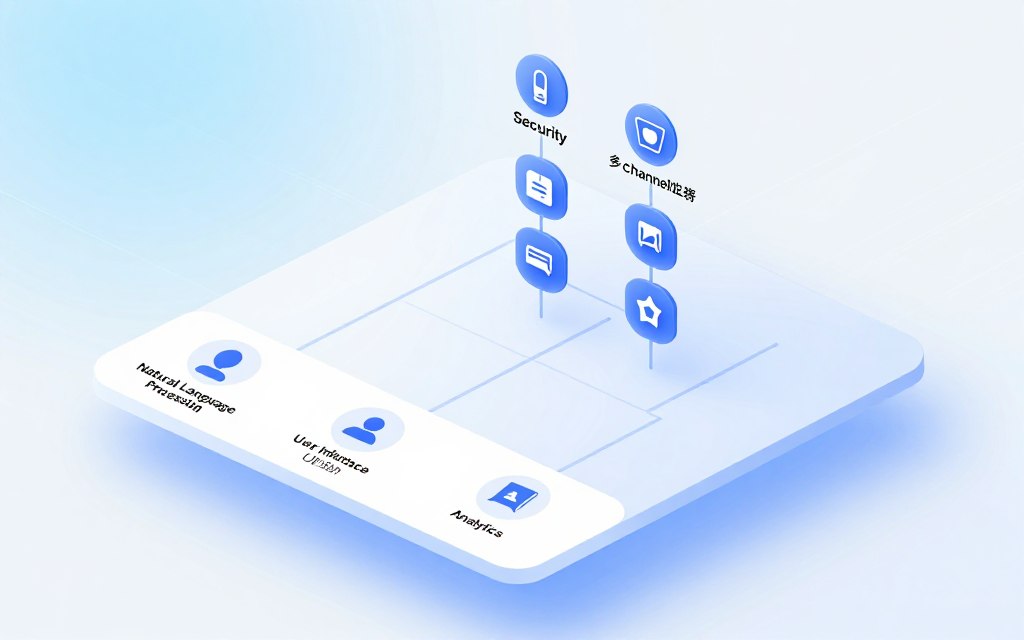
A good platform should offer easy ways to set up your chatbot. Look for options like a code snippet for your website, an SDK for mobile apps, and plugins for popular platforms like WordPress or Shopify. This way, your chatbot can reach your customers wherever they are.
True multi-channel support means your bot can keep track of a user’s journey, even if they switch from your Facebook page to your website chat. Being able to customise the chatbot’s look and feel is also key for keeping your brand consistent.
Connections to CRM, Help Desk, and Marketing Tools
Your bot needs to connect with your backend systems for smooth operations. Direct links to tools like Salesforce, Zendesk, or Mailchimp enable automatic actions.
- A qualified lead from the chatbot can be created instantly in your CRM.
- A complex support query can be escalated to a human agent with the full conversation history.
- User preferences collected by the bot can segment audiences in your email marketing platform.
These connections help the handoff from bot to human, which is key for complex issues. It makes the customer journey feel seamless.
Analytics, Reporting, and Testing Tools
You can’t improve what you don’t measure. A strong analytics suite is a must-have AI chatbot feature. It should give you more than just conversation numbers; it should offer insights you can act on.
Track important metrics like resolution rate (how many queries the bot solves on its own), user satisfaction scores (from post-chat surveys), and trends in conversation volume. These reports show where your bot shines and where it needs work.
Look for platforms that let you test different bot responses and train the AI with your business data. This feedback loop is key for improving your bot’s performance and ensuring it gives accurate, helpful information.
Ease of Use: Visual Builders and Team Collaboration
The best platform is useless if your team can’t use it. Look for solutions with easy, visual drag-and-drop builders. These no-code interfaces let marketers and customer service managers create conversation flows and update content without needing developers.
Collaboration tools are also vital. Multiple team members should be able to work on different bot intents, manage a shared knowledge base, and review chat logs for training. Features like role-based permissions and change logs help keep projects organised.
Other important features include multi-language support and the ability to personalise interactions based on user data. When looking at AI chatbot features, think about the long-term management needs. A platform that balances advanced features with simplicity will give you the best value.
Selecting Your Chatbot Platform: A Comparative Look
Choosing a chatbot platform can be tough with so many options. It’s not about finding the perfect one for everyone. It’s about finding the right fit for your business goals and what each platform offers.
Overview of Leading Platforms
There are many top players in the chatbot market. Each one focuses on different areas. Here’s a quick look at what they’re good for to help you get started.
Tidio: Balancing Live Chat and Automation
Tidio is known for its mix of live chat and chatbot tools. It’s great for small to medium-sized businesses. They can offer more support without losing the personal touch.
It works well with e-commerce sites. It’s easy to connect with Shopify and WordPress. You can handle simple questions with bots and complex ones with a live person.
Intercom: For Product-Led Growth and Support
Intercom is more than just a chatbot. It helps with growing your product. Its bots use user data and analytics to send targeted messages.
It’s good for welcoming new users, getting feedback, and helping in-app. It’s a complex tool for tech-savvy teams.
ManyChat: Specialising in Facebook Messenger and Marketing
ManyChat is a leader in social messaging. It’s great for building marketing and sales funnels on Facebook Messenger and Instagram. It’s easy to use and focuses on visual flow.
If you want to grow leads and customers through social media, ManyChat is a good choice. It turns ad clicks into conversations and subscribers into customers.
Drift: Focus on Conversational Sales and Marketing
Drift started conversational marketing. It replaces lead forms with AI chats. It aims to connect website visitors with sales reps quickly.
Drift’s bots are for B2B sales teams. They help book meetings, qualify accounts, and work with CRM systems like Salesforce. It’s for teams that want to speed up sales.
“The best platform is the one that disappears, allowing your brand’s conversation to shine through. It should feel like a natural extension of your team, not a tech hurdle.”
Making the Final Decision Based on Your Needs
This platform comparison shows there’s no single best choice. Your decision should be based on your business goals and needs. Think about your goals, KPIs, and user journeys.
Check if the platform fits your tech stack and provides the analytics you need. Can your team use it easily? Your choice should match your main goal. This makes the platform a valuable asset for your business.
A Step-by-Step Guide on How to Add a Chatbot
Adding a chatbot is a four-step process. It turns your plan into a working digital helper. This guide will help you through each step, from planning the chat to making it work on your website.
Step 1: Designing Effective Conversation Flows
Start by planning out your bot’s talks. This plan makes sure the chat feels natural and meets your goals. Think about what the user wants and plan paths that lead to clear results.
Crafting the Welcome Experience and Fallback Responses
The first message is key. A good welcome introduces the bot and suggests questions. It’s also important to plan for when the bot doesn’t understand.
When the bot can’t get it, it should politely say so. It should then offer an alternative, like asking the question differently or connecting to a human. This keeps the user trusting the bot.
Use the user journeys you’ve planned. Write examples of how the bot will handle common questions. Keep the language simple and friendly.
For each question, decide what the bot can say and what it might ask next. This script will guide you in setting up your chatbot.
Step 2: Building Your Bot in the Chosen Platform
With your scripts ready, log into your chatbot platform. Most platforms have a visual builder where you create flows by linking blocks.
Configuring Triggers, Conditions, and Automated Actions
Each flow starts with a trigger, like a keyword or a button click. Conditions let the bot branch based on what the user says, like “If answer is ‘yes’, go to booking flow.”
In each block, you set automated actions. These can be sending messages, collecting emails, or fetching data from your CRM.
Implementing a Smooth Handoff to Human Agents
No bot can handle every question. Plan a smooth way to pass on tricky questions. This often includes:
- A specific keyword (e.g., “speak to agent”) that triggers the handoff.
- A notification to your live chat team with the full conversation history.
- A polite message to the user informing them a human is connecting.
This way, complex or sensitive issues get the personal touch they need.
Step 3: Technical Integration into Your Website
Once your bot is built, connect it to your site. This is usually the easiest part of adding a chatbot.
Installing the Chat Widget via Code Snippet or Plugin
Most platforms give you a small JavaScript code snippet. Just copy and paste it into your website’s HTML, before the closing </head> tag. The chat widget will then appear on every page as you’ve set.
For popular CMS platforms, integration is even simpler:
- WordPress: Use a dedicated plugin from the platform’s marketplace or a generic script inserter plugin.
- Shopify: Paste the code snippet into the ‘Theme.liquid’ file in the online store editor.
- Wix: Add an “HTML Code” element to your site and embed the snippet.
- Squarespace: Use the “Code Injection” panel in the site settings.
After publishing, test the widget on different devices to ensure it loads and functions correctly.
Step 4: Technical Integration into Your Mobile App
Adding a chatbot to a native mobile app is different from web integration. It involves embedding the chatbot’s interface directly into the app’s codebase.
Utilising Native SDKs for iOS and Android
Leading chatbot providers offer Software Development Kits (SDKs) for iOS (Swift) and Android (Kotlin/Java). These SDKs handle the chat UI and connect to the bot’s brain.
The general process involves:
- Downloading the relevant SDK from your chatbot provider’s developer portal.
- Adding the SDK as a dependency to your mobile app project in Xcode or Android Studio.
- Initialising the chat module with your unique bot credentials within your app’s code.
- Adding a button or menu item in your app that launches the chat view.
This method gives a faster, more native user experience. It makes the chatbot feel like a part of your app.
Testing and Refining Before Public Launch
A chatbot’s success depends on its accuracy, speed, and usefulness. These are tested, not during building, but during dedicated testing. Skipping this step can lead to a tool that frustrates users and harms your brand’s reputation. It’s essential to test and refine your chatbot thoroughly to ensure it meets expectations.
Conducting User Acceptance Testing
User Acceptance Testing (UAT) is the last step before your chatbot goes public. It involves real people trying to find every possible way to interact with your bot. This helps see how users experience it, not just developers.
Assemble a UAT team from various departments like support, sales, and marketing. They will test the bot with different goals and mindsets. Give them clear scenarios to test, such as asking for a refund or finding premium plan pricing.
Use your platform’s preview or testing mode a lot. This lets you test chatbot flows in real-time and see all changes instantly without affecting your live site. It’s a sandbox environment perfect for checking conversation logic and response speed before going public.
- Test every menu button and quick reply.
- Ask questions in different, unexpected ways.
- Try to input gibberish or off-topic queries.
- Check the handoff to a human agent, if applicable.
For more advanced AI chatbot testing methodologies, consider engaging external testers who match your target audience.
Identifying and Fixing Logic Errors or Confusing Prompts
Review conversation logs from your UAT to spot patterns. Look for dead ends where the bot says “I don’t understand” instead of guiding the user back on track. Identify ambiguous questions your bot asks that confuse testers.
Common issues include incorrect data retrieval, broken links in responses, or personality tones that clash with your brand. Each error is a chance to improve your bot’s intelligence and usability, strengthening your chatbot strategy.
| Error Type | Example | Impact on User | Recommended Fix |
|---|---|---|---|
| Logic Dead End | User asks about “shipping to Alaska,” but bot only has flows for “international shipping.” | Frustration, task abandonment. | Add a specific intent for “domestic remote shipping” and update decision tree. |
| Ambiguous Prompt | Bot asks: “What can I help you with?” (too open-ended). | Analysis paralysis, vague input. | Use button-based options: “Are you looking for Account Help, Pricing, or Order Status?” |
| Incorrect Data Pull | Bot states a refund takes “5 days,” but policy is “7-10 business days.” | Mistrust, possible conflict. | Verify and correct all integrated data sources and knowledge base links. |
| Missing Fallback | User types “Hello?? Anyone there?” after a bot error. | Perception of being ignored. | Program a friendly, re-engagement prompt after 10-15 seconds of inactivity. |
Fix errors step by step. After each update, publish the new bot flow in your platform and have your UAT team test it again. This cycle continues until the bot handles key tasks smoothly. Only then should you connect it to your live website or app for the final test.
This careful process turns your chatbot from a prototype into a reliable, public asset.
Optimising and Maintaining Your Live Chatbot
Starting your chatbot is just the beginning. You’ll need to keep monitoring, training, and updating it. This ongoing effort turns your chatbot into a valuable tool for your business.
To keep your chatbot working well, focus on two main tasks. First, measure its performance with data. Then, use that data to improve how it talks and learns. This cycle helps your chatbot meet user needs and adapt to changes.
Monitoring Key Analytics for Performance Insights
Your chatbot’s analytics dashboard is key for improvement. It gives you the data needed for smart decisions. By regularly checking important metrics, you’ll know what’s working and what’s not.
It’s important to focus on the right data. This helps you improve the most important areas for users and your business.
Tracking Resolution Rates, User Satisfaction, and Engagement
Three key metrics show how well your chatbot is doing. Resolution rate shows how often it solves problems on its own. A low rate means it needs more knowledge.
User satisfaction (CSAT) comes from surveys after chats. It tells you if users find the chat helpful. Engagement metrics like how long chats last and if users come back show if people value the bot.
Looking at chat logs, as Elfsight suggests, gives you useful insights. You can spot questions the bot can’t answer and where users get stuck.
| Key Metric | Definition | Why It Matters | Ideal Target |
|---|---|---|---|
| Resolution Rate | Percentage of conversations resolved without agent transfer. | Directly measures bot effectiveness and automation value. | 70% or higher |
| User Satisfaction (CSAT) | Average score from user feedback surveys. | Indicates perceived helpfulness and user experience quality. | 4.0 out of 5.0 |
| Engagement Rate | Percentage of visitors who initiate a chat. | Shows how compelling and accessible your bot invitation is. | 5-10% of site traffic |
| Fallback Rate | How often the bot says “I don’t understand”. | Highlights specific questions your knowledge base lacks. | Below 15% |
Continuously Training and Updating Your Bot
AI chatbots can learn, but they need constant training. Your initial setup is just the start. Real conversations teach your bot to improve.
This ongoing training turns data into a smarter assistant. It closes the loop between what you learn and how you act on it.
Expanding Answers Based on Real User Questions
Check conversation logs weekly for new questions. If you see the same question often, it’s time to add to your bot’s knowledge. Create a clear, useful answer for it.
Also, look at answers users didn’t find helpful. Make these better by being more precise or giving more options. This boosts your chatbot’s success rates.
Scheduling Regular Reviews of Conversation Logs
Make maintenance a regular task, not something you do when you remember. Assign someone to review logs every two weeks or month. This review should include:
- Looking at top questions the bot can’t answer.
- Checking for updates in product info, pricing, or policies.
- Ensuring the bot’s tone matches your brand.
This regular approach keeps your chatbot growing with your business. It stops it from getting outdated and keeps it feeling fresh and competent. Regular updates are key to your chatbot’s long-term success.
Conclusion
Adding a chatbot to your website or app is a smart move. It can really help your business. A well-made bot can improve customer service, bring in new leads, and make things easier for your team.
The secret is to use AI well but also keep human touch. This way, you can talk to customers easily and keep things personal. For apps, using a top-notch app chatbot SDK makes things even better.
Start by setting clear goals and keep improving your chatbot. This makes it a key part of your online strategy. It helps you connect better with people and work more efficiently.
Conversational AI is getting better all the time. Adding a chatbot, whether on your website or in an app, puts you ahead in this exciting new way of talking to people.


 By
By